How to Plan a Shopify Plus Migration with a 7-Sheet Discovery Workshop

Contents
- What the workshop needs to achieve
- Why feature lists are not enough
- Who should be in the room
- What to prepare before the session
- The 7-Sheet Workshop
- Sheet 1: Business context
- Questions to cover
- Why this matters for Shopify Plus
- Output
- Sheet 2: Project purpose and goals
- Questions to cover
- Turn goals into useful measures
- Output
- Sheet 3: Platform and approach
- Map the current stack
- Define the delivery approach
- Output
- Sheet 4: Critical success factors
- Common examples
- Output
- Sheet 5: Risks
- Risk areas for a Shopify Plus migration
- Record more than a risk score
- Output
- Sheet 6: Definition of done
- Define done by phase
- Include the intended experience
- Output
- Sheet 7: Open issues and carpark
- Output
- Shopify Plus topics that need deeper discovery
- Theme and storefront strategy
- Checkout extensibility
- Apps versus custom development
- Integrations and data ownership
- International commerce
- Shopify B2B
- Product and content data
- Performance and accessibility
- SEO and analytics
- Operations, permissions and support
- What this looked like for Tony’s Chocolonely
- Turning the workshop into a delivery plan
- 1. Discovery summary
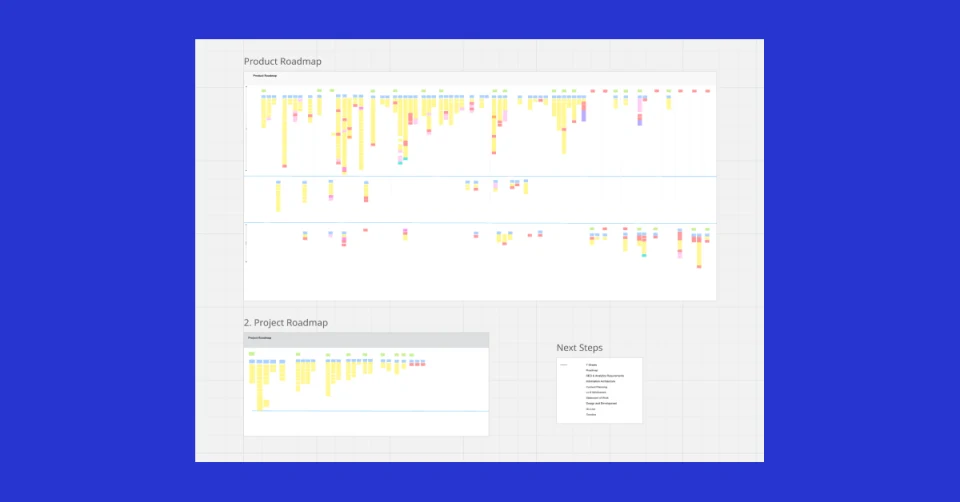
- 2. Product roadmap
- 3. Project roadmap
- 4. Solution and information architecture
- 5. SEO and analytics requirements
- 6. Content and experience plan
- 7. Statement of work and timeline
- A practical workshop agenda
- Session 1: Business and purpose
- Session 2: Platform and operations
- Session 3: Success, risk and completion
- Common discovery mistakes
- Starting with the new theme
- Treating the current site as the complete requirement
- Letting the loudest stakeholder define the MVP
- Ignoring content until the build is nearly finished
- Assuming integrations will behave as they do today
- Leaving SEO and analytics to launch week
- Calling every request essential
- Using the method beyond Shopify Plus
- Final checklist for a migration discovery phase
- Final thoughts
Planning a large Shopify Plus migration can be demanding. It usually involves more teams, systems and business rules than anyone can see from the storefront alone.
The e-commerce team understands trading priorities. Operations understands fulfilment and returns. Finance understands payment, tax and reconciliation. Marketing understands campaigns, customer data and content. IT understands integrations, security and support. Local market teams know which regional details cannot be lost. If those views are not brought together early, the project starts with gaps that become expensive later.
That is why I like to begin a large migration with a structured discovery workshop before moving into solution design. We call the method the 7-Sheet Workshop.
It gives everyone one place to explain how the business works, what the project needs to achieve, what could block it and what a successful launch actually means. The aim is not to solve every technical detail in one meeting. The aim is to replace assumptions with shared facts and give the project a reliable starting point.
Shopify Plus planning series
Step 1: Run the 7-Sheet Discovery Workshop. You are here.
Step 2: Turn discovery into a detailed delivery roadmap
I have used this approach while planning and delivering complex platform migrations, including the migration of Tony’s Chocolonely from a custom CMS to Shopify Plus across seven storefronts. It is particularly useful for Shopify Plus, but the same structure can be used for a website, marketplace, app, CRM, customer portal or other major digital project.
What the workshop needs to achieve
A useful discovery session should do more than collect a long list of features. It should help the group answer five practical questions:
- Why are we doing this project?
- What must be true for it to succeed?
- What are we changing, keeping or retiring?
- What decisions and risks could affect delivery?
- What happens after the workshop?
By the end, you should have enough clarity to prepare a product roadmap, project roadmap, information architecture, SEO and analytics requirements, content plan, early wireframes, statement of work and delivery timeline.
Those documents will still develop as the project moves forward. Discovery is not meant to create false certainty. It is meant to show what is known, what is not known and who owns the next decision.
Why feature lists are not enough
Migration briefs often begin with a spreadsheet of requirements. That can be useful, but it rarely explains the business behind those requirements.
For example, a request for “customer accounts” could mean a basic order history. It could also mean company buyers, approval rules, saved addresses, negotiated price lists, invoices, credit limits, sales representative access and an ERP connection. A request for “international markets” could mean translated content within one store, or it could mean separate legal entities, catalogues, bank accounts, fulfilment partners and regional release teams.
If the team starts choosing apps and drawing screens before understanding that context, the solution can look correct while missing the real operating model.
The 7-Sheet Workshop deliberately starts with the business and project purpose before moving into platforms. Technology decisions then follow the customer, commercial and operational requirements rather than leading them.
Who should be in the room
The right group depends on the size of the organisation, but a Shopify Plus discovery session will often include:
- The e-commerce or digital commerce manager
- A project sponsor or business owner
- Marketing and content leads
- Customer service or customer experience
- Operations, fulfilment and logistics
- Finance and payments
- IT, security or enterprise architecture
- Product data, PIM or merchandising owners
- B2B or wholesale representatives
- Local market representatives where relevant
- The delivery partner’s product, design, technical and SEO leads
Not everyone needs to attend every minute. It is better to plan the agenda so specialists join when their knowledge is needed. What matters is that a decision owner is present and that people who operate the current process have a voice.
Senior stakeholders can explain why the project matters. The people doing the work every day can explain where the process actually breaks.
What to prepare before the session
I normally ask for a small set of material before the workshop. It does not need to be perfectly organised.
- Current platform and app list
- System or integration diagram, if one exists
- Recent analytics and revenue by market or channel
- Product catalogue size and product data sources
- Customer, order and content volumes
- Current site structure and priority landing pages
- Search Console access and known SEO issues
- Existing customer research, support themes or usability findings
- Planned campaigns, launches and trading peaks
- Known contracts, licence renewals and vendor deadlines
- Organisation chart or a simple list of owners
- Initial budget and target launch window
If the organisation cannot provide all of this, that is useful information too. Missing documentation, unclear system ownership and inaccessible data are project risks that discovery should surface.
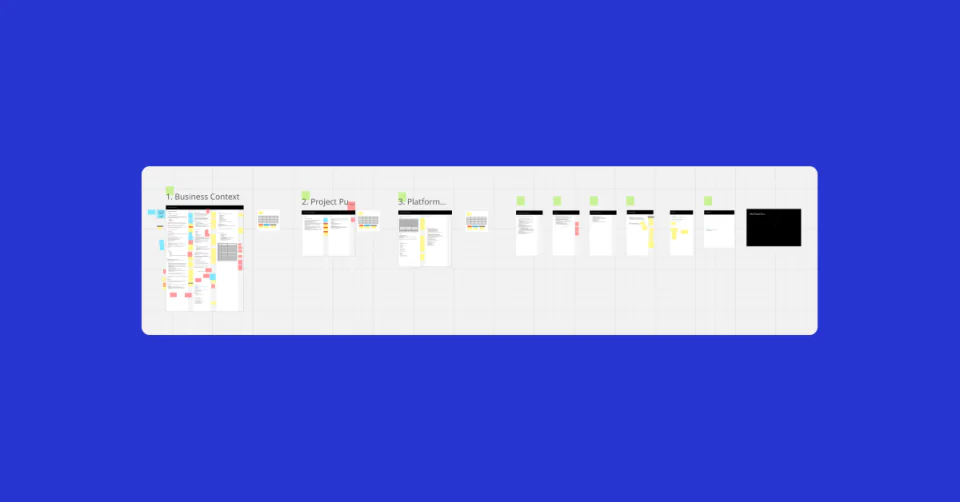
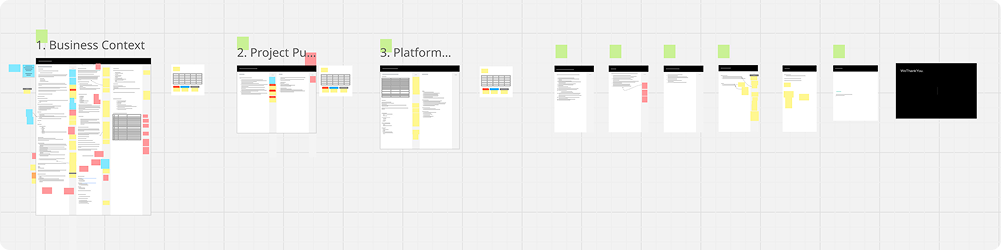
The 7-Sheet Workshop
Each sheet has a clear purpose. I normally run the session on a shared digital board so everyone can contribute and the facilitator can group related points as the conversation develops.
The sheets are not seven isolated conversations. Information moves between them. A business goal might create a critical success factor. A platform constraint might become a risk. An open question might need to be resolved before the definition of done can be agreed.
Sheet 1: Business context
The first sheet is about understanding the business before discussing the new site.
This is where we learn how the company makes money, who its customers are, how products reach those customers and what makes the offer different. For an established e-commerce business, this context affects nearly every platform decision.
Questions to cover
- How did the business start and how has it changed?
- Which products, categories or services drive revenue and margin?
- Who are the main customer groups?
- What jobs are customers trying to complete?
- Which channels are important: D2C, B2B, retail, marketplaces or wholesale?
- Which countries or regions does the business trade in today?
- Which markets are planned next?
- How are products sourced, manufactured and distributed?
- What seasonal peaks or campaign periods matter?
- Who are the main competitors and where is the business different?
- What internal teams operate the current experience?
- Which parts of the current process create the most cost or friction?
Why this matters for Shopify Plus
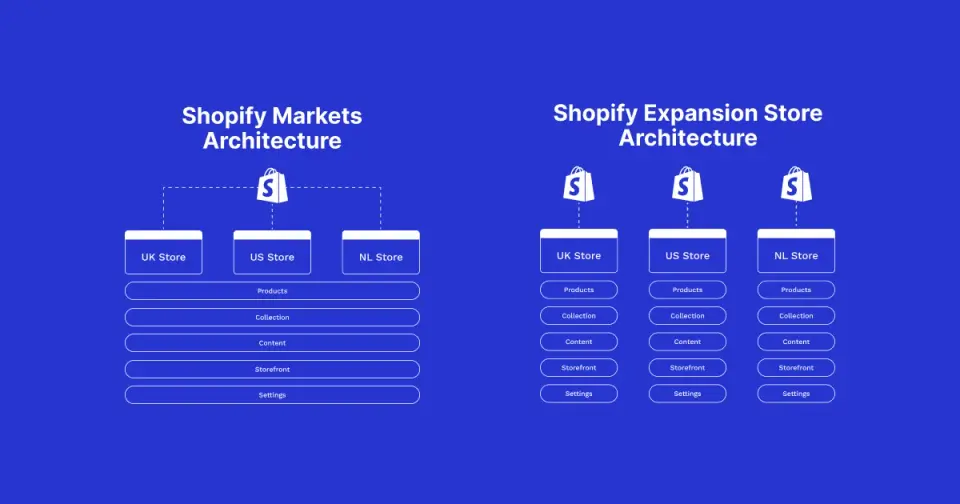
Shopify Plus can support many operating models, but the right setup changes with the business. A shared global catalogue may suit Shopify Markets. Independent regional teams, entities or product ranges may justify expansion stores. A B2B operation may need company profiles, catalogues and payment terms. A high-consideration product may need a finder, samples or expert support before checkout.
Without business context, these can be treated as isolated features. With context, they become parts of one commerce model.
Output
A short, agreed description of the business, customers, revenue model, channels, markets, differentiators and strategic drivers. This becomes a reference point when later decisions compete.
Sheet 2: Project purpose and goals
The second sheet defines why the project exists and what it needs to improve.
“Move to Shopify Plus” is not a sufficient purpose on its own. The platform is a means to an outcome. The real purpose might be to reduce maintenance cost, improve time to market, support B2B, enter new countries, improve conversion, give local teams more control or replace an unsupported platform.
Questions to cover
- What problem triggered the project?
- Why is the organisation acting now?
- What would happen if nothing changed for another year?
- Which customer and business outcomes matter most?
- What does the current platform prevent the team from doing?
- Which outcomes can be measured before and after launch?
- What is the target launch period and what drives it?
- What is the minimum viable release?
- What can wait for a later phase?
- What is explicitly outside the project?
- Which stakeholders have different priorities?
Turn goals into useful measures
The strongest goals are specific enough to influence the project. Examples include:
- Reduce the time required to launch a campaign across markets
- Allow local teams to publish approved content without development support
- Improve mobile performance against an agreed performance budget
- Protect priority organic landing pages during migration
- Support company accounts and agreed B2B purchasing journeys
- Reduce manual order or customer-service steps through connected workflows
- Improve the quality of conversion and customer journey reporting
Revenue and conversion matter, but they are not the only useful measures. Operational measures often show whether the new platform has genuinely improved the business.
Output
A clear project purpose, prioritised goals, scope boundaries, initial success measures and a first view of MVP versus later releases.
Sheet 3: Platform and approach
Only after the business and project goals are understood do we move into the platform and delivery approach.
This is not an app selection exercise. The first task is to map what exists today, what each system owns and what may need to change.
Map the current stack
For a Shopify Plus migration, the current landscape may include:
- Commerce platform or custom CMS
- ERP and order management
- Product information management
- Warehouse and third-party logistics
- Point of sale
- Customer relationship management
- Email and lifecycle marketing
- Search, recommendations and personalisation
- Reviews, loyalty and subscriptions
- Customer service and returns
- Payments, tax and fraud tools
- Analytics, consent and tag management
- Content management and digital asset management
For each system, record its owner, purpose, important data, interfaces, contract position and known problems. Then decide whether it is likely to be retained, replaced, consolidated or investigated.
Define the delivery approach
The same sheet should cover how the project will run:
- Which teams will work on the project?
- Who owns product, design, technology, SEO, content and data?
- How will decisions be made and recorded?
- Which communication and project tools will be used?
- Will rollout be phased by market, channel or capability?
- Is there a safe period for data rehearsal and parallel operation?
- Which vendors or internal teams control dependencies?
- What environments, access and approvals are required?
Output
A current-state platform map, early target-state principles, list of integrations and dependencies, ownership model and recommended delivery approach. Detailed solution architecture follows after discovery, but the main constraints should now be visible.
Sheet 4: Critical success factors
Critical success factors are the conditions that must be protected even when the project faces trade-offs.
They are different from a wish list. A critical success factor should be important enough to influence scope, architecture, sequence or acceptance.
Common examples
- No loss of priority organic search traffic caused by unmanaged URL changes
- Stable checkout and order flow during the trading peak
- Page performance remains within an agreed budget
- Local market teams can manage approved content independently
- Product, price and inventory data reconcile with source systems
- Customer and order data migration meets agreed quality thresholds
- B2B customers can complete their priority purchasing journeys
- Accessibility requirements are met across core templates
- Support teams receive training and documented procedures before launch
- Monitoring and ownership are in place for key integrations
I normally ask the group to limit and rank these. If everything is critical, nothing is useful as a decision tool.
Output
A prioritised set of non-negotiable conditions with an owner and a way to test each one.
Sheet 5: Risks
Risk identification is not a negative exercise. It gives the team time to change the plan before a risk becomes an incident.
The most useful risks are specific. “Data migration may be difficult” is too broad. “Historic customer records use inconsistent country codes and cannot be imported until they are normalised” is something the team can investigate and mitigate.
Risk areas for a Shopify Plus migration
- Incomplete or inconsistent product, customer or order data
- Unclear ownership of ERP, OMS, PIM or fulfilment integrations
- Vendor APIs, webhooks or rate limits that do not support the intended flow
- App functionality that differs across markets or currencies
- Checkout customisations that cannot move directly to checkout extensibility
- URL changes that put organic search equity at risk
- Missing content, product photography or translation capacity
- Market-specific payment, tax, shipping or legal requirements
- B2B rules that have not been documented
- Peak trading periods that restrict launch timing
- Too little time for migration rehearsal and reconciliation
- Internal teams that are not available for acceptance testing
- Scope growth caused by unclear MVP boundaries
- Budget decisions that remain unresolved while design begins
Record more than a risk score
For each important risk, capture:
- The cause
- The possible impact
- Likelihood
- Mitigation
- Owner
- Date for the next action
- Trigger for escalation
Output
A working risk register tied to the roadmap. It should be reviewed throughout the project, not archived after the workshop.
Sheet 6: Definition of done
This is one of the most important sheets because it turns general expectations into completion criteria.
A site is not done because the new theme has been published. The project may also require reconciled data, trained teams, working integrations, redirected URLs, analytics validation, operational handover and a stable post-launch period.
Define done by phase
It is often clearer to define completion for discovery, design, build, migration rehearsal, launch and post-launch support separately.
Questions to ask include:
- Who signs off each phase?
- Which customer journeys must pass acceptance testing?
- What data reconciliation threshold is acceptable?
- Which browsers and devices must be supported?
- What performance and accessibility checks are required?
- Which analytics events and reports must be validated?
- What SEO checks must pass before launch?
- Which documents and training must be complete?
- How long is the post-launch stability window?
- Which issues would stop a launch?
- What is the rollback or fallback plan?
Include the intended experience
Definition of done should include more than technical acceptance. Record what the brand should feel like, what customers should be able to understand and what operating teams should be able to manage confidently.
Output
Phase-based acceptance criteria, sign-off owners, launch gates, handover requirements and a clear view of what must be stable before the project is closed.
Sheet 7: Open issues and carpark
A structured workshop needs somewhere to put important questions that cannot be answered in the moment.
The carpark allows the group to keep moving without losing those points. It can include missing data, contract questions, content dependencies, pricing decisions, legal review, ownership disputes or ideas that belong in a later phase.
Every item needs more than a note. Record:
- The question or decision
- The person responsible
- Information needed
- Due date
- Next action
- Escalation path if it remains blocked
At the end of the workshop, review the carpark and decide which items block solution design. Those become immediate next steps.
Output
An owned decision and action log that closes the gap between the workshop and the next stage of planning.
Shopify Plus topics that need deeper discovery
The seven sheets create the structure. Shopify Plus then brings a set of specific topics that need to be explored within that structure.
Theme and storefront strategy
Confirm whether the project will use a standard theme, a custom Online Store 2.0 theme or a headless storefront. Document component needs, content flexibility, release ownership and performance budgets. Our web development service covers the storefront, performance, accessibility and integration decisions around this work.
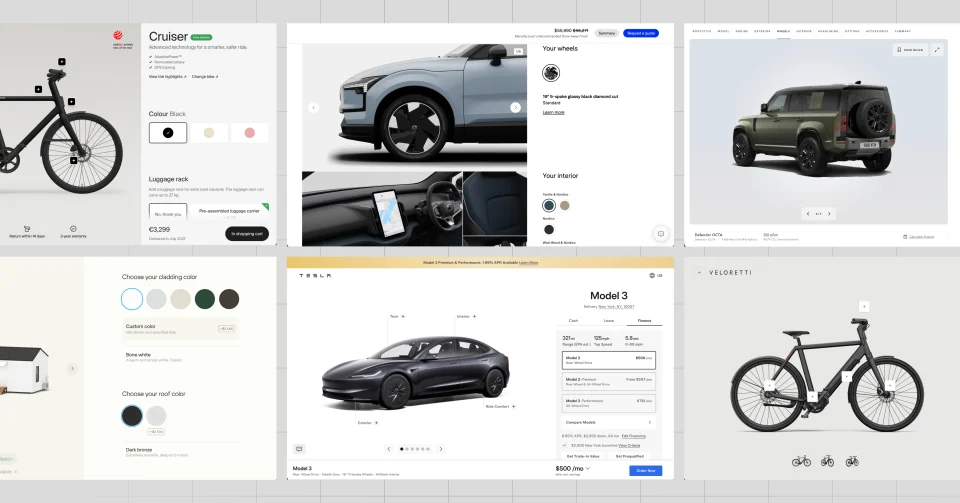
Ask which parts of the current experience are genuinely valuable. A migration is not a reason to reproduce every old template. It is a chance to simplify the experience while preserving customer and operational requirements.
Checkout extensibility
Review current checkout scripts, apps, tracking, payment rules, delivery logic and post-purchase experiences. Identify which customisations can be replaced by native Shopify features, Shopify Checkout Blocks, UI extensions or Shopify Functions, and which requirements need to change.
Do this early. A legacy checkout behaviour may not have a direct equivalent, and the business needs time to choose an acceptable approach.
Apps versus custom development
Apps can reduce build time, but every app adds cost, data handling, support and upgrade considerations.
For each capability, compare:
- Native Shopify capability
- Existing app
- Alternative app
- Custom app or integration
- Operational workaround
- Decision not to migrate the feature
The best answer is not always the most feature-rich option. It is the option the organisation can operate and support.
Integrations and data ownership
ERP, OMS, PIM, ESP, WMS, 3PL, CRM and finance systems should be mapped as business processes, not just connection lines.
For every interface, define:
- System of record
- Data direction
- Trigger or schedule
- Expected volume
- Error handling
- Retry behaviour
- Monitoring
- Reconciliation
- Support owner
This makes integration failures easier to design for and operate after launch.
International commerce
Decide whether Shopify Markets, expansion stores or a hybrid model best fits the business. Consider legal entities, bank accounts, catalogues, currencies, languages, tax, duties, payments, domains, SEO, fulfilment and regional team autonomy.
I have written a separate guide on Shopify Markets versus expansion stores because this decision can change the entire migration architecture.
Shopify B2B
Wholesale requirements should be mapped as real buyer journeys. Cover company profiles, locations, buyers, permissions, catalogues, price lists, payment terms, purchase orders, invoicing, tax treatment, sales representative involvement and ERP ownership. The Shopify B2B and wholesale guide goes deeper into these decisions.
Do not assume the D2C journey can simply be reused for B2B customers.
Product and content data
Review products, variants, categories, collections, attributes, media, translations, editorial content and files. Define how metafields and metaobjects will be governed and who can change each type of information.
Data migration should include extraction, transformation, testing, reconciliation and sign-off. A single final import is not a migration plan. For many Shopify projects, Matrixify can support controlled bulk exports, imports and migration rehearsals.
Performance and accessibility
Agree performance budgets and accessibility requirements before design and app selection. Heavy media, tracking, personalisation and third-party scripts all compete for the same page budget.
Performance should be tested on real templates and realistic devices. Accessibility should be part of component and content acceptance, not a final scan.
SEO and analytics
SEO and GEO need to be part of the migration from the beginning. The workshop should identify priority pages, existing organic demand, URL changes, international signals and content that must be protected.
The delivery plan should cover:
- Crawl and indexation controls
- URL and redirect mapping
- Canonicals and duplicate-content rules
- Hreflang and market architecture
- Metadata and heading structure
- Structured data
- XML sitemaps
- Internal linking
- Page performance
- Search Console verification
- Pre-launch and post-launch monitoring
Analytics discovery should define the customer actions, business outcomes and data quality needed after launch. Tracking every click is less useful than agreeing which decisions the data needs to support. Google Analytics and Google Search Console should be configured and verified before cutover rather than after an issue appears.
Operations, permissions and support
Map who will publish content, change products, launch promotions, manage markets, approve discounts, view customer data and respond to integration failures. Shopify roles, permissions and Shopify Flow should match that operating model.
Training and handover should be planned as deliverables. A technically successful migration can still fail if the trading team cannot operate the new platform confidently.
What this looked like for Tony’s Chocolonely
Tony’s Chocolonely is a useful example because the migration was not one storefront and one technical team.
The business moved from a custom Sofia CMS to Shopify Plus across seven storefronts: the Netherlands, Belgium, Germany, the UK, the US, Austria and a global store. The programme needed to preserve Tony’s distinctive brand and storytelling while giving local teams more control and reducing reliance on developer-heavy release cycles.
I worked internally at Tony’s as product manager and solution architect, coordinating business, design and technology decisions across IT, e-commerce, retail, design, operations and regional stakeholders. Specialist partners also contributed across Shopify delivery, OMS and ERP integration, SEO and custom development.
Discovery and roadmap work helped make several important dependencies visible:
- Regional requirements for language, tax, shipping and payments
- A global theme with room for useful local variation
- Product catalogue and content migration
- Redirects, structured data and SEO continuity
- ERP, fulfilment, Klaviyo and other integration requirements
- B2B, corporate gifting and bulk-order needs
- Training and handover for local teams
- Rollout timing around major seasonal trading periods
The rollout was phased rather than treated as one big launch. Parallel planning and fallback options helped reduce disruption around periods such as Valentine’s Day and Christmas.
The programme launched seven markets on Shopify Plus within seven months. The existing Tony’s Chocolonely Shopify Plus case study records a 30% faster time to market for campaigns and product launches, lower maintenance costs and improved autonomy for local teams.
The important lesson is not that every migration should copy the same architecture. It is that business context, regional needs, operating ownership and success measures need to be understood before the platform is configured.
Turning the workshop into a delivery plan
The workshop is phase one. It should lead directly into a small number of useful planning outputs.
1. Discovery summary
Write down the agreed business context, project purpose, scope, success factors, risks, definition of done and open decisions. Keep it concise enough that a stakeholder can understand the project without reading every workshop note.
2. Product roadmap
Group capabilities into customer, business and platform outcomes. Separate MVP, later phases and ideas that are not yet justified. The product roadmap explains what the organisation intends to improve and why.
3. Project roadmap
Sequence discovery, architecture, content, UX, build, integrations, data migration, testing, training, launch and post-launch support. Show dependencies and decision dates, not just task durations.
4. Solution and information architecture
Map the target platforms, data ownership, integrations and storefront structure. Create the first site map and customer journey view so content and technical work can move together.
5. SEO and analytics requirements
Record the migration controls, redirect approach, international signals, structured data, measurement plan and launch monitoring needed to protect visibility and establish a reliable baseline.
6. Content and experience plan
Identify content owners, gaps, migration rules, photography, translation and approval steps. Use low-fidelity wireframes to test page purpose and journeys before detailed visual design begins.
7. Statement of work and timeline
Convert the agreed scope, assumptions, dependencies, responsibilities and acceptance criteria into a commercial plan. Keep unresolved items visible rather than hiding them inside a fixed estimate.
A practical workshop agenda
For a complex migration, I prefer to run discovery across more than one session. People make better decisions when they have time to collect missing information between discussions.
A practical structure might be:
Session 1: Business and purpose
- Introductions and roles
- Business context
- Customers, channels and markets
- Project purpose and goals
- Initial MVP discussion
Session 2: Platform and operations
- Current platform and system map
- Customer and operational journeys
- Data and integration dependencies
- Delivery approach and ownership
Session 3: Success, risk and completion
- Critical success factors
- Risks and mitigations
- Definition of done
- Open issues and carpark
- Immediate next steps
Each session can run for 90 minutes to two hours depending on the organisation. A smaller project may fit into one half-day workshop. A global Shopify Plus migration will normally benefit from focused follow-up sessions with finance, operations, content, SEO, data and local teams.
Common discovery mistakes
Starting with the new theme
Visual design is easier to discuss than data ownership or operational failure, so teams can move to screens too quickly. The storefront should follow the agreed journeys and constraints.
Treating the current site as the complete requirement
Legacy features often reflect old platform limitations or forgotten decisions. Ask why each capability exists and whether the customer or business still needs it.
Letting the loudest stakeholder define the MVP
Use goals, critical success factors and evidence to prioritise. Make trade-offs visible and record who owns the final decision.
Ignoring content until the build is nearly finished
Content, photography, product data and translation can determine the launch date. Give them owners and deadlines during discovery.
Assuming integrations will behave as they do today
Document business processes, data ownership and failure handling. A named connector does not guarantee that the new flow meets the same operational need.
Leaving SEO and analytics to launch week
URL structure, market architecture, rendering, content and internal links are design and technical decisions. Measurement also needs time for implementation and validation.
Calling every request essential
MVP should be the smallest release that safely achieves the agreed purpose. Later phases are not a rejection. They protect the first launch from uncontrolled scope.
Using the method beyond Shopify Plus
Although this guide focuses on e-commerce, the seven sheets can create a solid foundation for almost any collaborative digital project.
For a healthcare platform, the business context and risk sheets may focus more heavily on patient journeys, privacy and clinical responsibility. For a finance website, regulated content, disclosures and lead quality may become critical success factors. For an education marketplace, course data, provider ownership and search may shape the platform approach.
The questions change, but the order remains useful:
- Understand the organisation.
- Agree why the project exists.
- Map the platform and delivery reality.
- Protect the conditions for success.
- Surface risk early.
- Define completion clearly.
- Give every open decision an owner.
That sequence creates a better foundation for collaboration because the client and delivery team begin with the same view of the problem.
Final checklist for a migration discovery phase
Before moving into detailed solution design, confirm that you can answer the following:
- Is the business context documented and agreed?
- Is the project purpose clear beyond “move to Shopify”?
- Are goals measurable and prioritised?
- Is MVP separated from later phases?
- Are current platforms, data owners and integrations mapped?
- Are customer, operational and regional requirements represented?
- Are critical success factors ranked and testable?
- Does every major risk have an owner and mitigation?
- Is definition of done clear for each phase?
- Are launch gates and sign-off owners named?
- Are SEO, analytics, content and accessibility included early?
- Are training, handover and post-launch support planned?
- Does every open issue have a next action and date?
- Can the workshop findings be turned into a product roadmap and project plan?
If several answers are no, the project is probably not ready for a confident estimate or detailed design. Spending more time in discovery is usually less expensive than making those decisions during build or launch.
Final thoughts
The most valuable part of discovery is not the number of notes on the board. It is the shared understanding created between the business and the delivery team.
Across the migrations I have planned and supported, a strong discovery phase has helped us find risks earlier, set more realistic scope, protect important customer and operational needs and create a roadmap people can actually use.
A Shopify Plus migration will always involve unknowns. The goal is not to remove every unknown before work starts. The goal is to know which questions matter, who owns them and when they need to be answered.
If you are preparing for a Shopify Plus migration, New Site Agency can run the discovery workshop, assess the current platform and turn the findings into a practical migration roadmap. You can also review our wider e-commerce strategy and delivery capabilities, or talk to our Shopify Plus team before committing to a theme, app stack or launch date.
When the discovery decisions are agreed, continue to Step 2, the Shopify Plus roadmapping session to turn them into features, estimates, phases, workstreams and a delivery plan.